If you run a medical practice, you may have seen a cyber security alert from the Australian Digital Health Agency in October. It warned about vulnerabilities in some websites and online systems, and asked practices to check with their IT or website provider whether anything needed updating.
On 17 November, the Australian Cyber Security Centre (ACSC) followed up with advice for businesses in every sector. Its alert, Vulnerabilities are moving quickly, so patch, protect, prevent, says some flaws are now being exploited within 48 hours of a fix becoming available. The message is simple: check the systems your business has facing the internet, and apply security updates promptly.
That sounds technical, but a lot of good security comes down to everyday habits. Most attacks still start with something ordinary, like a convincing email, a fake invoice or a reused password. So it's a good time to make sure the basics are covered.
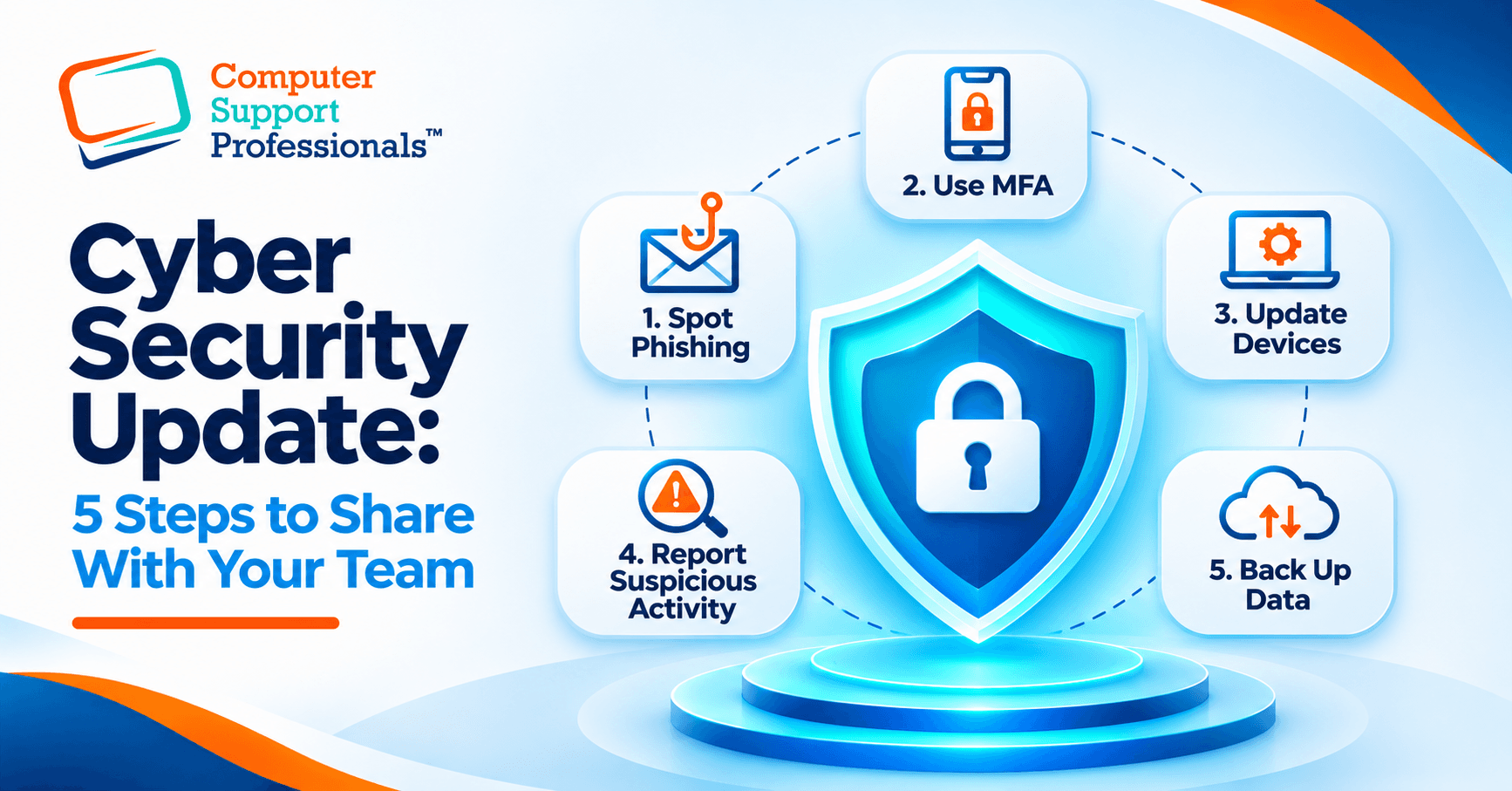
Five steps to share with your team
- Pause before opening unexpected links or attachments. Check the full sender address, not just the name. If a message asks you to sign in, don't use its link. Open the service from a bookmark or type the address you normally use.
- Verify unusual requests by phone. If someone asks you to change bank details, approve a payment or share sensitive information, call them on a number you already trust, not one from the message.
- Use multi-factor authentication (MFA). Start with email, cloud accounts and remote access. If you get a sign-in prompt you didn't start, deny it and let your IT team know.
- Keep systems up to date and check your backups. Install approved updates promptly. Ask your IT team or website provider to confirm that your website and remote access systems are patched, and that your key backups can actually be restored. Our ransomware protection guide explains why tested backups matter.
- Report anything suspicious straight away. Clicked a link that didn't look right, or typed your password somewhere odd? Tell your IT support team immediately. Reporting early isn't about blame. It gives them time to act.
How secure is your business today?
For a quick self-check, try the Australian Government's free Cyber Health Check Tool. It takes less than five minutes, it's anonymous, and it can help you spot gaps in your basic protections.
If you'd like a closer look, CSPRO can review your current setup with you and help you decide what to improve first. We can also arrange penetration testing on agreed systems to find weaknesses and advise what to fix first. For ongoing protection, our Advanced Security and Control Suite includes 24/7 threat monitoring, managed detection and response, access controls and staff security awareness training.
Want to talk it through? Get in touch with our team and we'll help you work out which options make sense for your business.