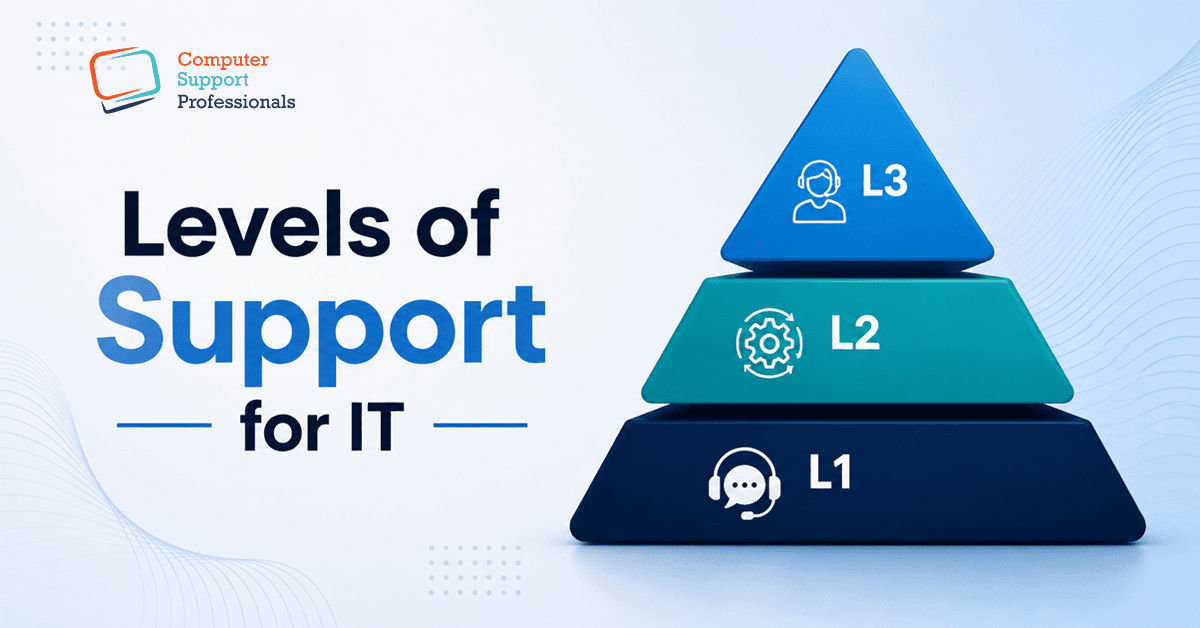
Almost every business today runs on computers, software, and the internet, which means almost every business eventually deals with something going wrong: a frozen laptop, a broken email login, a server that won't come back after a patch. How that problem gets picked up and fixed usually comes down to one thing: a tiered IT support structure, commonly described as L1, L2, and L3 support.
This guide explains what each level does, how an issue moves between them, and just as importantly, how to decide whether your business should build this structure in-house or hand it to a managed IT provider.
Why IT Support Is Split into Levels
Not every IT issue needs the same expertise. A forgotten password and a corrupted database are both IT problems, but solving them well requires very different skills, tools, and access levels. Splitting support into tiers means simple issues get resolved fast by generalists, while complex issues reach the specialists who can fix them without every ticket needing a senior engineer, and without every user waiting behind a queue of password resets to get a server-level fault looked at.
L0 Support: Self-Service (Before It Even Reaches a Person)
Many modern support structures start at L0 self-service. This covers knowledge-based articles, FAQs, and automated password-reset or account-unlock tools that let a user solve simple problems without logging a ticket at all. A strong L0 layer reduces the volume hitting L1, which is one reason it's worth mentioning even briefly: it's often the fastest fix available.
L1 Support: First Line / Help Desk Support
L1 is the first point of human contact. When self-service doesn't solve the problem, the user's call, email, or ticket lands with the L1 team, usually help desk technicians handling high volumes of common, well-understood issues.
Typical L1 responsibilities
- Password resets and account lockouts
- Email login and connectivity troubleshooting
- Guiding users through known software errors
- Logging, categorising and prioritising new tickets
- Escalating anything outside a documented fix to L2
Most well-run L1 teams resolve a large share of tickets, often the majority within minutes, using documented, repeatable fixes. If a fix isn't documented or the issue recurs, that's the signal to escalate rather than keep guessing.
L2 Support: Technical / Escalation Support
L2 picks up what L1 can't resolve with a standard script. This team is composed of more senior technicians, usually system administrators or network engineers. Someone who can go into logs and reproduce issues and handle configuration-level problems.
Typical L2 responsibilities
- Diagnosing network connectivity and performance issues
- Investigating recurring software bugs
- Server and system configuration changes
- Applying security patches and cybersecurity updates
- Root-cause analysis before deciding whether L3 is needed
L2 work is less predictable than L1; there's rarely a script to follow, which is why this tier needs broader technical knowledge rather than a checklist.
L3 Support: Expert / Engineering Support
L3 is the deepest tier, with senior engineers, system architects, and sometimes developers who handle the issues that go to the core of how a system is built. This is where genuinely new fixes get created, not just applied.
Typical L3 responsibilities
- Resolving complex, system-level or infrastructure faults
- Fixing underlying software bugs, not just symptoms
- Developing new patches, updates or configuration changes
- Data recovery after serious incidents (e.g., database corruption)
- Working directly with vendors or third-party providers when a fix sits outside internal control
Because L3 time is the most expensive and scarce, a well-run support structure protects it - issues should only reach L3 once L1 and L2 have genuinely ruled out a faster fix.
L1 vs L2 vs L3
|
| L1 - First Line | L2 - Technical | L3 - Expert |
| Skill level | Basic / generalist | Intermediate / specialist | Advanced / architect-level |
| Typical staff | Help desk technicians | System admins, network engineers | Senior engineers, architects, developers |
| Issue type | Common, well-documented | Technical, less predictable | Complex, system-level, novel |
| Example issue | Password reset | Network configuration fault | Database corruption recovery |
| Typical resolution time | Minutes | Hours | Hours to days |
How CSPRO Structures Support Across All Three Levels
This is exactly how CSPRO own Helpdesk Support is built - L1 handles the day-to-day volume fast, technical issues are escalated to experienced L2 engineers, and genuinely complex or infrastructure-level problems reach senior L3 specialists, all under one managed IT services agreement. For a business, that means one point of contact regardless of how complex the issue turns out to be, rather than juggling different vendors for different tiers.
Common Mistakes Businesses Make with Support Tiers
- Treating every issue as urgent, which floods L2/L3 with tickets L1 could have been resolved with better documentation.
- No feedback loop - fixes discovered at L2/L3 never get turned into L1-level documentation, so the same issue keeps escalating.
- Under-resourcing L1, which pushes simple, high-volume issues up the chain and slows everything down.
- Assuming outsourcing means losing control - in a well-run managed IT relationship, escalation and reporting should be just as visible as an internal team.
Conclusion
A clear L1, L2, and L3 structure is what stops small issues from clogging up senior engineers' time and stops complex issues from being stuck with generalists who can't fix them. Whether you build that structure internally or bring in a managed IT provider to cover it, the goal is the same: the right issue reaches the right person, as fast as possible.