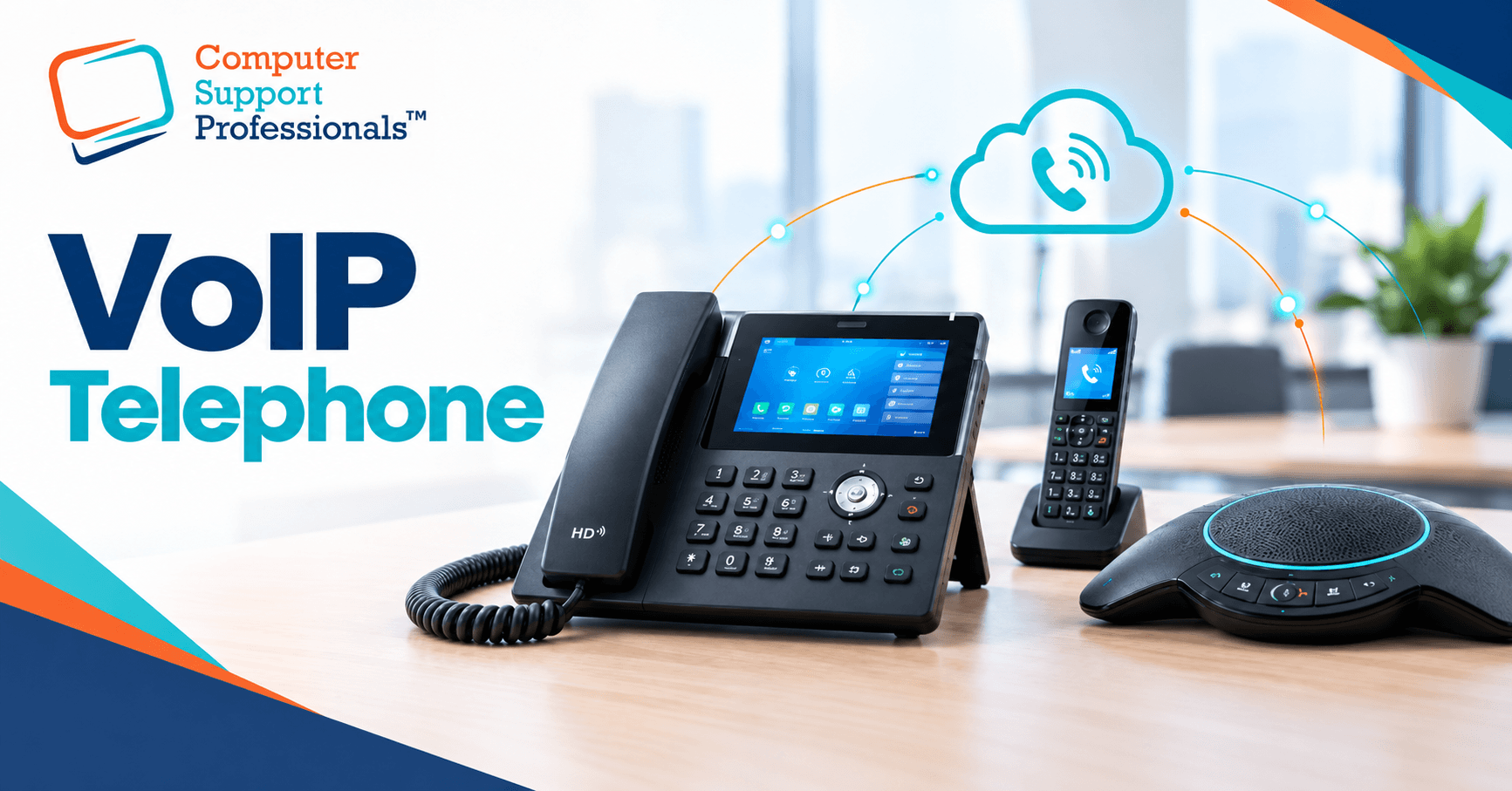
A new consulting room, a receptionist who needs to roam between the desk and the waiting area, a meeting room that hosts calls with a specialist. Three different jobs, and three different pieces of VoIP hardware. Choosing the wrong one means paying for features nobody uses, or worse, a handset that can't do what the room needs.
VoIP telephone hardware falls into three broad categories: desk phones, DECT cordless handsets, and conference units. Each connects to the same underlying phone system, but they're built for different people and different rooms. This guide compares the three, explains the power and network details that matter, and covers what to check before you buy.
The Three Hardware Types, Briefly
|
| Desk phone | DECT cordless | Conference unit |
| Best for | Reception, consulting rooms, offices | Staff who move around the practice | Meeting rooms, group calls, telehealth |
| Voice Over IP (VoIP) internet calling technology guide | PoE from the network switch, or a power adapter | Base station powered; handset battery-charged | PoE or power adapter |
| Voice Over IP (VoIP) internet calling technology guide | Fixed at the desk | 30 to 50 metres indoors from the base station | Fixed in the room |
| Indicative price (AUD) | $120 to $300 | $120 to $230 per handset, plus a base station | $300 to $1,300+ |
| Microphone reach | One person, close range | One person, close range | A full table, several people |
These figures are general market indications, not a live price list. Confirm current pricing with your provider, since exchange rates and supply change regularly.
Desk Phones: The Default Choice for Reception and Consulting Rooms
A desk phone is the right choice wherever one person answers calls from a fixed position. That covers most of a medical practice: reception, each consulting room, admin offices, and the practice manager's desk.
1. What to look for
- Power over Ethernet (PoE): Most business desk phones support PoE, so a single network cable carries both power and calls. This avoids clutter and means the phone keeps working from a UPS-backed switch during a short outage, without needing its own power adapter plugged into a wall socket.
- HD voice: Wideband audio codecs, commonly G.722 or Opus, sound noticeably clearer than a traditional phone line. Nearly all current business VoIP phones support this.
- Line keys and busy lamp field (BLF): Reception and any high-call-volume desk benefit from physical keys that show which extensions are busy and let staff transfer calls with one press.
- Headset support: A wired or Bluetooth headset jack matters for anyone on the phone for long stretches, such as reception or a telehealth coordinator.
- Screen size and simplicity: A colour touchscreen suits a busy manager who juggles several lines. A simple screen with physical buttons is often easier for occasional users and less likely to go wrong.
2. A three-tier way to think about desk phones
| Tier | Typical features | Where it fits |
| Entry | Colour screen, PoE, gigabit ports, one or two SIP accounts | A standard consulting room or a quiet office |
| Mid-range | Larger display, more line keys, USB port for a headset | Reception, practice manager, anyone handling several calls at once |
| Premium | Wi-Fi, Bluetooth, wireless headset pairing, adjustable screen | A principal GP, practice owner or anyone who wants a cordless headset at their desk without a separate DECT base |
Two SIP accounts on one phone are not the same as two-line calling on an old analogue system. It usually means the handset can register two separate phone numbers or extensions, useful where one person covers two roles.
DECT Cordless Handsets: For Staff Who Don't Sit at a Desk
DECT (Digital Enhanced Cordless Telecommunications) is the wireless standard almost every business cordless phone uses. A base station plugs into your network and registers to your phone system exactly as a desk phone would; the handset then works as a cordless extension of that same system, with its own extension number and full calling features.
DECT uses a dedicated radio frequency built for voice, rather than your Wi-Fi network, which generally means steadier call quality and less interference than a Wi-Fi-based cordless phone. Indoor range is typically 30 to 50 metres from the base station, though thick walls, plaster and equipment can reduce that.
1. Where DECT earns its place
- A manager who moves between reception, the storeroom and consulting rooms
- A coordinator who needs to be reachable while not at a desk
- An after-hours or on-call arrangement where one handset needs to travel with whoever is on duty
- A small practice that wants one shared handset to cover a roaming role, rather than a fixed extension nobody answers
2. Base stations and handset limits
Not all base stations are equal, and the gap between registered handsets and simultaneous calls catches people out. A base station might support up to ten registered handsets but only a handful of simultaneous calls; if every handset tries to call out or receive a call at once, the extras will be blocked or dropped. In a busy service environment, such as a reception desk or a practice where several clinicians share cordless handsets, check the simultaneous-call limit, not just the handset count, before you buy.
Handsets in this category typically differ in screen size, talk time, standby time, and whether they support a paired Bluetooth headset. A basic handset with a simple colour screen and a full working day of talk time covers most practice roles. Bluetooth pairing mainly matters for someone who wants a wireless earpiece while walking around, such as a practice manager fielding calls on the move.
3. Conference Units: For Meeting Rooms
A desk phone's microphone is built to pick up one person sitting close to it. Put it in the middle of a meeting table, and the people at the far end become hard to hear. A dedicated conference unit solves this with multiple microphones and speakers designed to cover a room.
4. What separates conference units
- Microphone count and pickup pattern: Entry units typically use a handful of microphones with a shorter pickup radius, suited to a small meeting room. Higher-end units use a dozen or more microphones with 360-degree pickup, suited to a boardroom-sized table.
- Expansion microphones: Larger rooms often support add-on satellite microphones that extend coverage down a long table.
- Noise and echo handling: Look for background noise suppression, since air conditioning and hallway noise are common complaints in shared meeting spaces.
- Screen and platform: Some units run a full touchscreen interface for scheduling and joining calls; others are a simpler speakerphone that pairs with a laptop or the practice's own phone system.
- Power: Most conference units run on PoE or a power adapter, the same as a desk phone.
5. Where they fit in a medical practice
Conference units suit a staff meeting room, a case conference space where several clinicians discuss a patient with a visiting specialist, or a room used for group telehealth consultations. A single consulting room rarely needs one; a desk phone or a computer-based video call generally covers a one-to-one telehealth appointment better and at lower cost.
Power, Network and Triple Zero
Hardware choice is only half the picture. How the hardware is powered and connected decides whether your phones survive a network hiccup, and whether they can reach Triple Zero (000) in an outage.
1. PoE versus power adapters
A Power over Ethernet switch delivers both power and data down the same cable, which is tidier and, when the switch itself sits on a UPS, keeps phones running through a short mains outage. If your switch doesn't support PoE, phones still work fine on their individual power adapters, but each one then depends on its own power point rather than a single protected supply.
2. Uninterruptible power supplies (UPS)
For calls to survive a brief power interruption, the NBN equipment, router or firewall, and the network switch that feeds the phones all need to stay powered, not just the handset. Putting a UPS on only one of these gives a false sense of security. Sizing and testing a UPS is worth doing properly. Our guide to regular IT maintenance for medical practices covers UPS testing as part of a routine.
3. Triple Zero and VoIP: what the rules say
You can call Triple Zero (000) from certain VoIP services, but a fixed VoIP service can't place any call, including an emergency call, without a working internet connection and working power. The Australian Communications and Media Authority's guidance on emergency calls is clear that services delivered over the NBN generally won't work in a mains power outage unless there's a battery backup, and it recommends having another way to reach 000, such as a charged mobile phone.
Two changes are worth knowing. First, NBN Co stopped supplying a Power Supply Unit with battery backup by default from June 2024; if your practice needs one, ask your phone or internet provider to arrange it, and note that a battery backup typically provides only a few hours of runtime. Second, the Telecommunications Legislation Amendment (Triple Zero Custodian and Emergency Calling Powers) Act 2025 commenced on 1 November 2025, creating a Triple Zero Custodian and giving the regulator stronger powers over how carriers handle outages and emergency calling. It's a reminder that emergency-call reliability is being treated as something carriers must actively assure, not something to assume.
For a medical practice, the practical response is straightforward: don't rely on a single VoIP handset as the only way to reach emergency services during an outage, keep at least one charged mobile phone accessible to staff at all times, and make sure whoever answers the phones knows the plan. This sits alongside your wider continuity planning; see our guide to IT disaster recovery for the broader picture.
4. Mobile and internet failover
Beyond the emergency-call question, a practice that depends entirely on one internet connection risks losing all incoming calls in an outage, not just 000. A secondary internet path, such as a 4G or 5G failover connection, keeps the phone system reachable if the primary line drops. Our guide to troubleshooting common internet problems in medical practices and our NBN internet page cover connection options in more detail.
Matching Hardware to Rooms
| Space | Recommended hardware | Why |
| Reception | Mid-range or premium desk phone with line keys | High call volume, frequent transfers, needs BLF to see who is free |
| Consulting room | Entry or mid-range desk phone | One person, moderate call volume, PoE keeps cabling simple |
| Manager or roaming clinical staff | DECT handset | Needs to be reachable away from a fixed desk |
| Small meeting room | Entry conference unit, or a desk phone if the room is rarely used for calls | A handful of participants; check whether the room is used often enough to justify a dedicated unit |
| Boardroom or case conference room | Higher-end conference unit with wide pickup | Larger table, several participants, external specialists dialling in |
| After-hours or on call | One shared DECT handset | Travels with whoever is on duty that night |
Compatibility, Support and Total Cost
Before buying hardware, confirm it against your actual phone service, not just the brand name.
- Check compatibility with your phone system first: Some providers lock handsets to their own supplied equipment; others allow bring-your-own devices with supplied SIP credentials. Buying hardware before confirming this can leave you with phones that can't register.
- Provisioning matters as much as the handset: A phone that auto-provisions cleanly with your provider saves hours of manual setup, especially when replacing several handsets at once.
- Warranty and local support: Business-grade phones typically carry a one- to three-year warranty. Confirm who handles a faulty handset: your IT provider, the phone system provider, or the manufacturer.
- Total cost, not just the handset price: Base stations, additional handsets, PoE switch ports, and any conference unit expansion microphones all add to the real cost of a rollout.
- Growth plan: A base station or switch with a little headroom avoids a second purchase the moment you add a room or a staff member.