
Nowadays, almost every business stores its important records, files and information in computers or online systems. This information includes customer data, financial records, business documents and other essential files. This data is very important for the success of any business and its daily operations.
But sometimes this data can be at risk due to various problems. For instance, a computer system may malfunction, a server may shut down. A virus or hacker may attack, or power and internet problems may arise. In such a situation, there is a risk of losing important information, which can stop business operations and also cause financial losses.
To avoid this problem, an IT disaster recovery system is used. It is a plan that helps in restoring data and systems in the event of an accident or malfunction. Thanks to this, the business can resume its normal operations in a short time.
IT disaster recovery is an effective way to protect important business data and systems. This not only helps in keeping information safe but also protects the business from major losses in any emergency situation.
IT Disaster Recovery
IT disaster recovery is a system and plan that is designed to restore a business’s computer systems and important data in any emergency. If for some reason the system goes down, the server crashes, hackers attack, or a natural disaster occurs, the disaster recovery process helps to bring the business back to normal as soon as possible.
Nowadays, most business operations are carried out through computers and online systems. In such a case, if data is lost or the system stops working, the company may face financial losses, loss of time, and loss of customer confidence. That is why organisations make such arrangements in advance so that their operations are not completely affected in any difficult time.
The aim of IT disaster recovery is not only to recover lost data, but also to reactivate the entire business system in the shortest possible time. With its help, the company can continue its important operations and avoid major losses.
Data Backup System
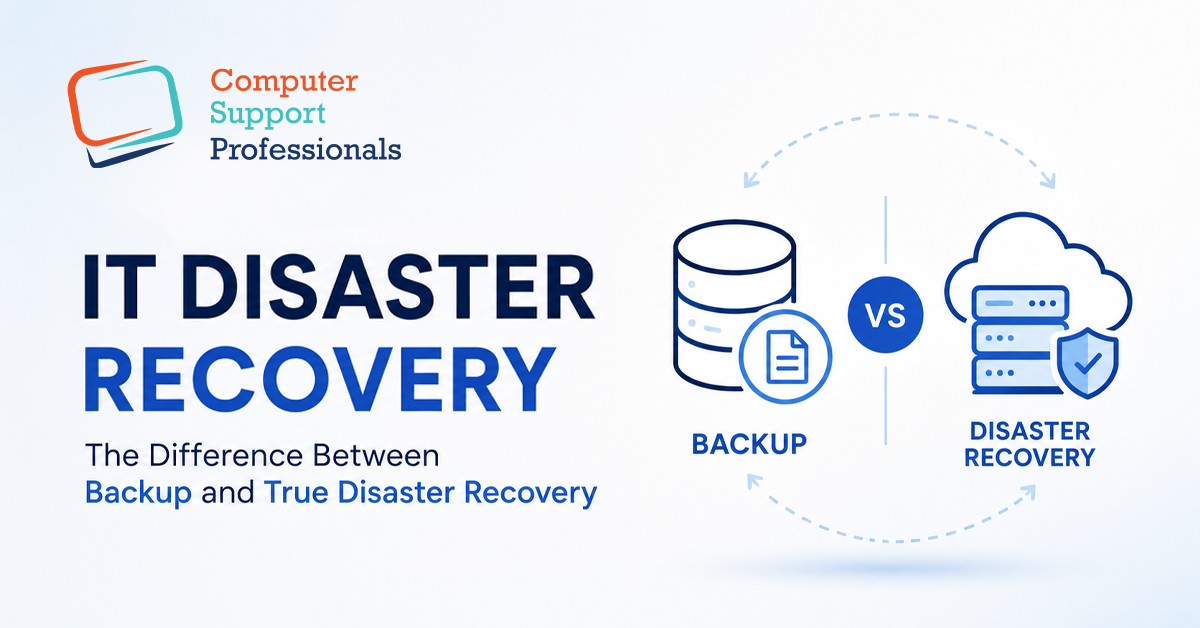
Backup refers to saving an additional copy of important data so that it can be recovered if the original data is lost for some reason. Due to this short and fast period, businesses need regular backups to keep essential records, data, and other information safe.
Backups can be taken in different ways. For instance, sensitive data can be saved on another server, or data can be stored in cloud storage. And backups can be saved on a daily and weekly basis. And if the system crashes, a virus attacks, or any other problem emerges, data can be recovered.
However, it is important to understand that backups are only a means of preserving data. If the entire system or server goes down, a business cannot be restored immediately with the help of backups alone. It can take time to get the data back and the system up and running again. That is why backups are also necessary, along with an effective disaster recovery plan so that business activities can be resumed as soon as possible.
What is true disaster recovery?
A true disaster recovery is not just a backup of sensitive data. Backup helps to restore the entire business infrastructure in emergencies. Also, it ensures that critical business operations are not disrupted for too long due to a major incident.
This system includes not only data, but also servers, computer networks, software, applications, and other IT resources. If, for some reason, the main server fails, a cyber attack occurs, or systems are shut down due to a natural disaster, a disaster recovery plan immediately activates alternative resources.
For example, if a company’s main server stops working, an alternative server or backup system can start working in its place. That’s why any disruption or other business activities are restored quickly.
A true disaster recovery is not just to preserve information, but to enable the entire business system to be up and running again in the shortest possible time, so as to avoid financial and operational losses.
Difference between Backup and Disaster Recovery
-
Purpose
The main purpose of backup is to preserve only important data so that if the original files are lost, they can be recovered. It only creates a copy of the information. On the other hand, disaster recovery aims to restore the entire business system. It includes not only data but also servers, software, network and all IT systems. Backup is a limited solution while disaster recovery is a complete plan that helps the business recover from an emergency situation and get back up and running.
-
Recovery time
Recovering data from backup often takes a long time because the data is first searched, then it is restored to the system. This process can take hours or sometimes even days. In contrast, disaster recovery is designed in such a way that the system is restored as soon as possible. It uses alternative servers and automated systems that enable the business to be up and running again within minutes or hours. Therefore, disaster recovery is considered a faster and more effective method.
-
Scope
Backup is very limited in scope as it only saves a copy of files, images, documents and data. It does not cover the functionality of the entire system. On the other hand, disaster recovery is very broad in scope. It includes servers, applications, network connections, databases and the entire IT infrastructure. That is, disaster recovery looks at the entire system, not just the data. This is why it is more important for large businesses as it has the ability to restore the entire system.
-
Business continuity
Taking a backup does not ensure immediate business continuity as only the data is saved, in case of a system outage, it has to be set up again. During this time, business operations may stop. In contrast, disaster recovery ensures that the business continues with minimal disruption. If a problem occurs, alternative systems are activated immediately. And the work of employees and customers is not affected much, and the company continues to provide its services continuously.
Conclusion
Many people think of backup and disaster recovery as the same thing, but in reality, the two are different. Backup can simply save a copy of data. Disaster recovery provides a complete solution to get the entire business system back up and running. Backup alone is not enough for any modern business, but a robust disaster recovery plan is also essential.